Events
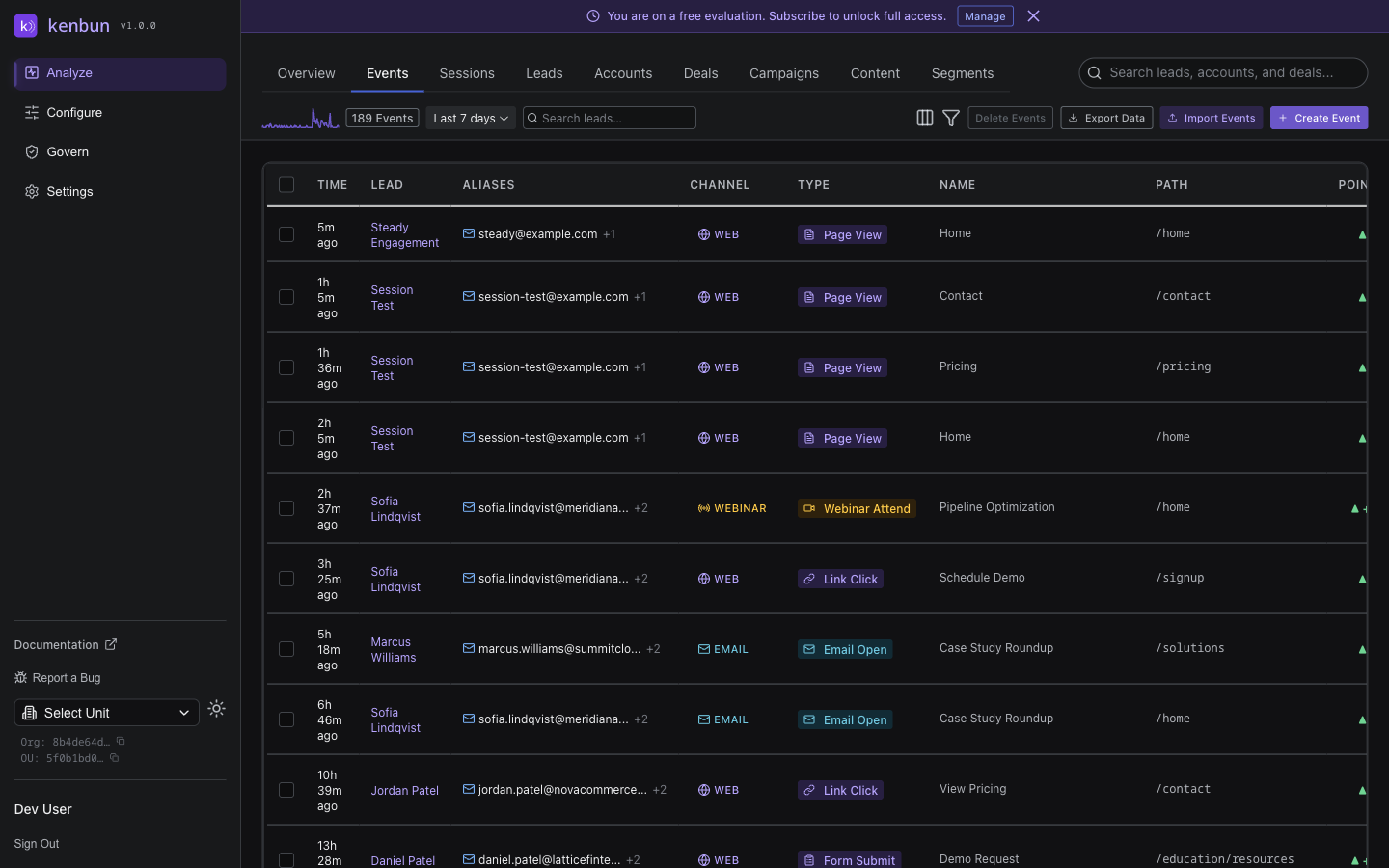
The Events view shows all captured activity across your leads in real-time. Every action—email opens, page views, form submissions, product trials—appears here as an individual event.
What You'll See
Each event shows:
- Lead: Who performed the action (email or lead ID)
- Event Type: The action taken (e.g.,
Page View,Email Open,Form Submit) - Timestamp: When the action occurred
- Metadata: Additional context like page URL, campaign ID, or form name
- Points Awarded: How many points this event contributed to the lead's score
Common Use Cases
Track Campaign Performance
Watch events stream in during a campaign launch to see real-time engagement:
Email campaign sent → Monitor "Email Open" and "Link Click" events
Webinar promotion → Track "Registration" and "Reminder Open" events
Product launch → Watch "Page View" on new product pages
Debug Scoring Issues
If a lead's score seems wrong, filter events by that lead to see:
- Which events fired and when
- How many points each event awarded
- Whether any events were flagged as inorganic
Identify High-Intent Actions
Filter by high-value event types to spot leads taking meaningful actions:
- Demo requests
- Pricing page views
- Free trial signups
- Multiple page views in one session
Filtering Events
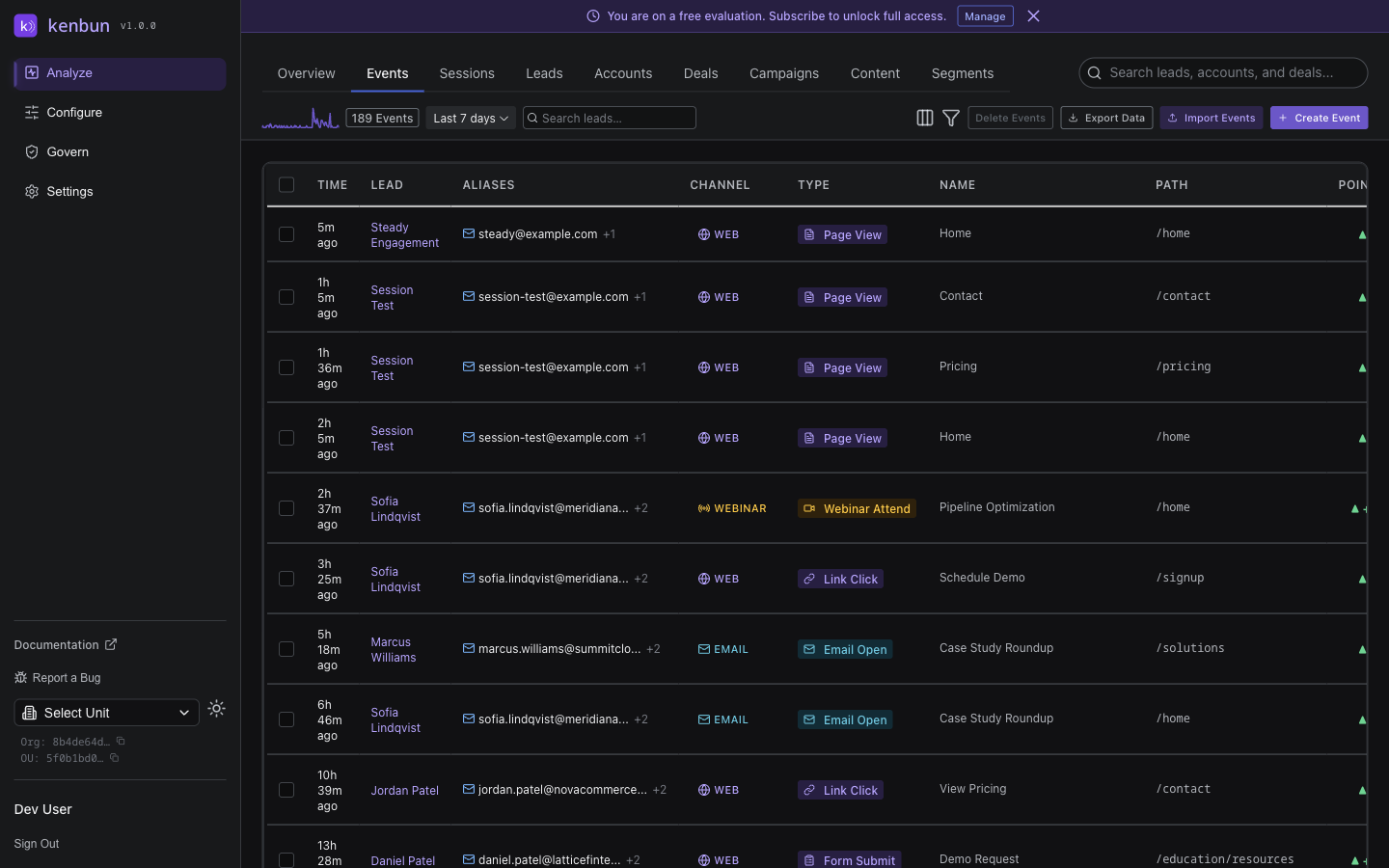
Use filters to narrow down the event stream:
- Event Type: Show only specific actions (e.g., only form submissions)
- Date Range: Focus on a specific time period
- Lead: View all events for one person
- Inorganic Flag: Show or hide events flagged as suspicious
Events vs. Sessions
Events show individual actions—every click, every page view, every email open.
Sessions group related events together into browsing sessions, making it easier to understand the full journey a lead took.
If you want to see individual actions, use Events. If you want to understand behavior patterns, use Sessions.
API Access
Retrieve events programmatically via:
- GET /events - List all events
- GET /events/lead/:leadID - Get events for specific lead
- POST /ingest - Send new events
- GET /events/export - Export events to CSV
Related Pages
- Sessions → - View grouped browsing sessions
- Leads → - See lead profiles and scores
- Accounts → - See account-level engagement
- Event Types → - Manage which event types you track
- Event Ingestion API → - Send events to kenbun