Decay Rules
Decay rules automatically reduce lead scores over time when no qualifying activity occurs. This ensures that lead scores remain current and relevant, preventing leads from maintaining high scores long after their last engagement.
Decay rules apply a flat point reduction across the whole score on a schedule. If you want each individual scoring signal to fade on its own curve (e.g., a page view loses value faster than a demo request), see Half-Life Decay. The two are complementary: half-life governs how each contribution ages; decay rules subtract a flat amount from the running total during inactivity.
Understanding Decay Rules
Decay rules work by monitoring lead activity over time and reducing scores when leads become inactive. This is particularly important for maintaining accurate lead prioritization and ensuring your sales team focuses on the most engaged prospects.
When to Use Decay Rules
Decay rules are valuable in several scenarios:
Preventing Score Inflation
- Leads who were once highly engaged but have since disengaged shouldn't maintain high scores indefinitely
- Ensures scores reflect current interest levels rather than historical engagement
Maintaining Sales Prioritization
- Keeps your hottest leads at the top of the scoring hierarchy
- Prevents inactive leads from cluttering your high-score lists
Reflecting Business Realities
- Trial users whose trials have expired
- Leads who haven't engaged after initial interest
- Prospects who may have gone dark but could re-engage later
Creating Decay Rules
Basic Decay Rule Setup
- Navigate to Configure in the main navigation
- Select Decay Rules from the submenu
- Click New Decay Rule
- Define the time period and point reduction
- Save the rule to activate it
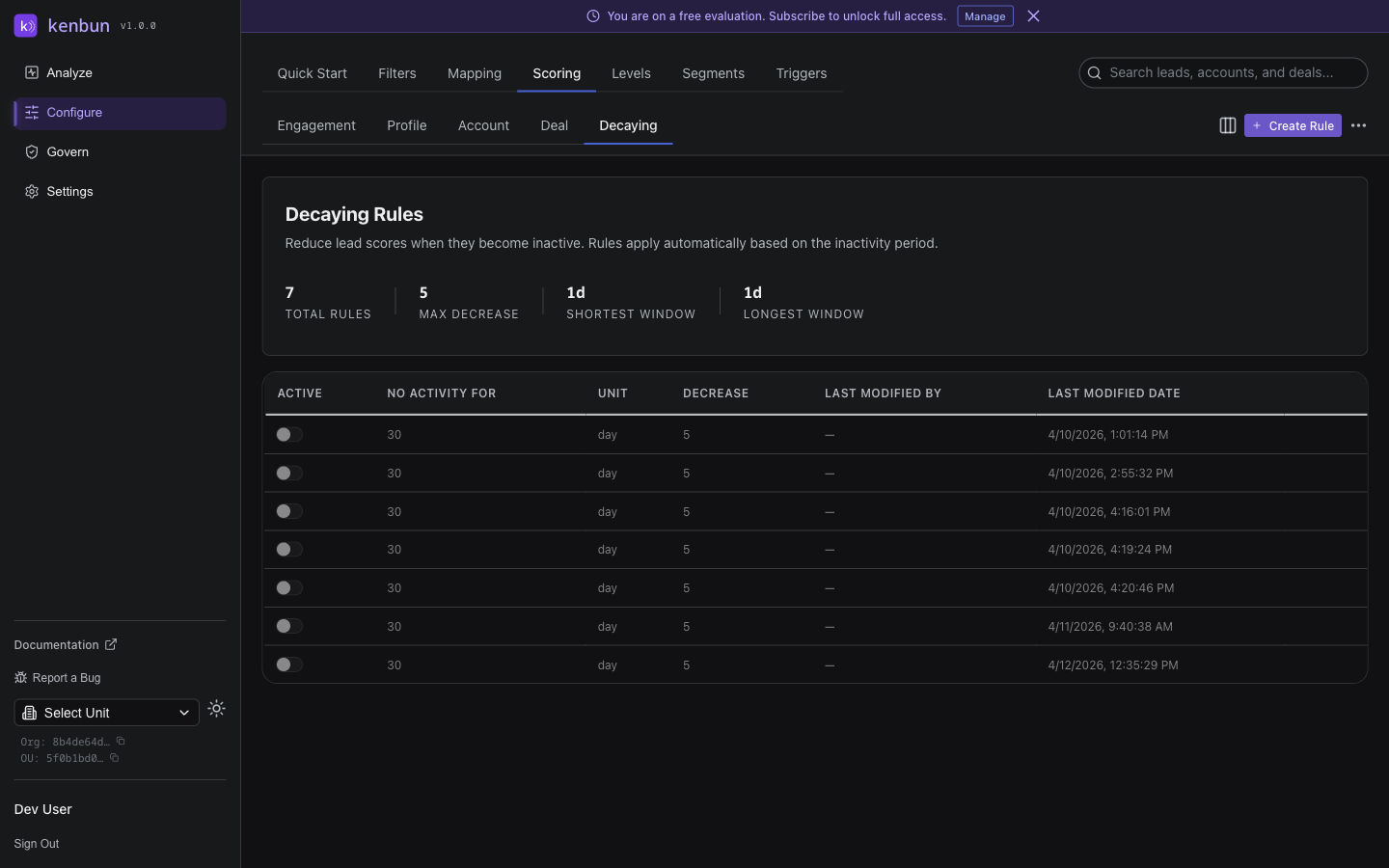
Decay Rule Parameters
Each decay rule has several configurable parameters:
Inactive Period
- The duration of inactivity required before decay begins
- Common values: 7 days, 14 days, 30 days
- Can be adjusted based on your typical sales cycle
Point Reduction
- Enter the number of points to subtract per decay cycle (e.g., enter 5 to remove 5 points)
- Typically small values to prevent dramatic score drops
- Use a negative number only if you want the decay to add points instead
Decay Frequency
- How often the decay calculation runs
- Usually daily, but can be adjusted for different business needs
Ruleset Association
- Decay rules can be linked to specific scoring rulesets
- Allows for different decay approaches for different scoring methodologies
Example Implementations
Standard Engagement Decay
Time Period: 7 days
Point Reduction: -2 points per day
Frequency: Daily
This rule slowly reduces scores for leads who haven't engaged in a week, allowing active leads to maintain their positions.
Trial User Management
Time Period: 1 day (after trial end)
Point Reduction: -5 points per day
Frequency: Daily
More aggressive decay for trial users whose trials have expired, reflecting decreased likelihood of conversion.
Seasonal Campaign Follow-up
Time Period: 14 days
Point Reduction: -1 point per day
Frequency: Daily
Gentler decay for leads from seasonal campaigns, allowing extended follow-up periods.
Best Practices
Setting Appropriate Decay Rates
-
Match Your Sales Cycle
- Shorter cycles require slower decay to allow for proper follow-up
- Longer cycles can tolerate more aggressive decay rates
-
Consider Engagement Patterns
- Industries with frequent engagement need faster decay
- Industries with episodic engagement need slower decay
-
Monitor and Adjust
- Start conservative with decay rates
- Review effectiveness monthly and adjust as needed
- Pay attention to sales feedback on lead quality
Combining with Other Rules
Decay rules work best when combined with other scoring mechanisms:
Positive Reinforcement
- Award points for new activity to offset decay
- Create engagement loops that encourage continued interaction
Level Management
- Use decay to automatically move leads between levels
- Set up reactivation triggers for leads who engage after decay
Trigger Integration
- Set up notification when leads drop below certain thresholds
- Alert sales when previously hot leads become cold due to decay
Troubleshooting
Decay Not Occurring
Check Points Calculation
- Verify the decay rule is active
- Confirm the time periods match your expectations
- Ensure the point reduction values are correct
Review Implementation
- Check that the decay process is running on schedule
- Verify lead activity dates are being tracked correctly
Overly Aggressive Decay
Adjust Time Periods
- Increase inactive period thresholds
- Reduce point reduction amounts
- Change decay frequency to less frequent intervals
Sales Team Confusion
Provide Context
- Explain that scores are dynamic and will change over time
- Create documentation showing how decay affects lead prioritization
- Set up notifications for significant score changes
Advanced Configuration
Multiple Decay Rules
You can implement multiple decay rules for different scenarios:
- One rule for general engagement decay
- Another for trial users
- A third for seasonal campaign leads
Conditional Decay
Advanced configurations might include:
- Different decay rates by lead source
- Varying decay based on profile attributes
- Time-of-day adjustments to decay calculations
Integration with Triggers
Combine decay rules with triggers for automated workflows:
- Notify when scores drop below thresholds
- Escalate leads who don't re-engage after decay
- Reassign leads who decay significantly
By implementing thoughtful decay rules, you ensure that your lead scoring system remains accurate and actionable, helping your sales team focus on the leads most likely to convert.